


All the Little Extras …
RECHARGE, REFRESH & RECONNECT
There’s plenty happening at Building Futures, so we’ve created a few ways to recharge, refresh and take a moment between Sessions. Whether you need coffee, something sweet, a little downtime or a boost for your phone, you’ll find it in the Exhibition Hall.
BUT FIRST… COFFEE!
Start the day feeling energised with a visit to the Coffee Carts in the Exhibition Hall. While you’re there, be sure to stop by and say hello to our Coffee Cart Partner:
- Compass | Booth #35
PAUSE & UNWIND AT THE WELLNESS HUB
Take some time out at the Wellness Hub, with activities located throughout the Exhibition Hall designed to help you pause, destress and rejuvenate between Sessions.
And for the ultimate Conference reset, professional masseuses will be available on Thursday 3 September, from 12.00pm–5.00pm.
Consider it your invitation to find that elusive moment of pause!
SWEET TREATS AWAIT!
Need a little Conference pick-me-up? Visit the Donut Wall during Morning Tea from Wednesday to Friday.
Or cool down with a visit to the Gelato Cart on Wednesday from 4.30pm–6.00pm, Thursday from 4.00pm–6.00pm, and Friday during Lunch.
There are only 200 serves of each available per day, so get in early. It’s strictly first in, first served!
RUNNING LOW? RECHARGE HERE
Your devices need a little downtime too! Visit the Recharge Station near Booths #46 and #47 to give your phone or other device a much-needed power boost.
It’s available throughout the Conference, so plug in, power up and get back to Building Futures feeling fully charged.
EXPLORE, CONNECT & WIN
Our Exhibitors bring a wealth of expertise, ideas and solutions to Building Futures, so make time to explore the Exhibition Hall, have a conversation and discover resources that could help you maximise your impact at your institution.
And there’s another reason to visit… many of our Exhibitors will also have prizes and giveaways waiting for you at their Booths!
AND NEW THIS YEAR… the #EPBRISBANE2026 SELFIE FRAMES!
Join Sunshine the Cavoodle puppy in sharing the excitement of your Building Futures experience in a social media post!
To access the size ‘selfie frame’ appropriate for your story, click below:
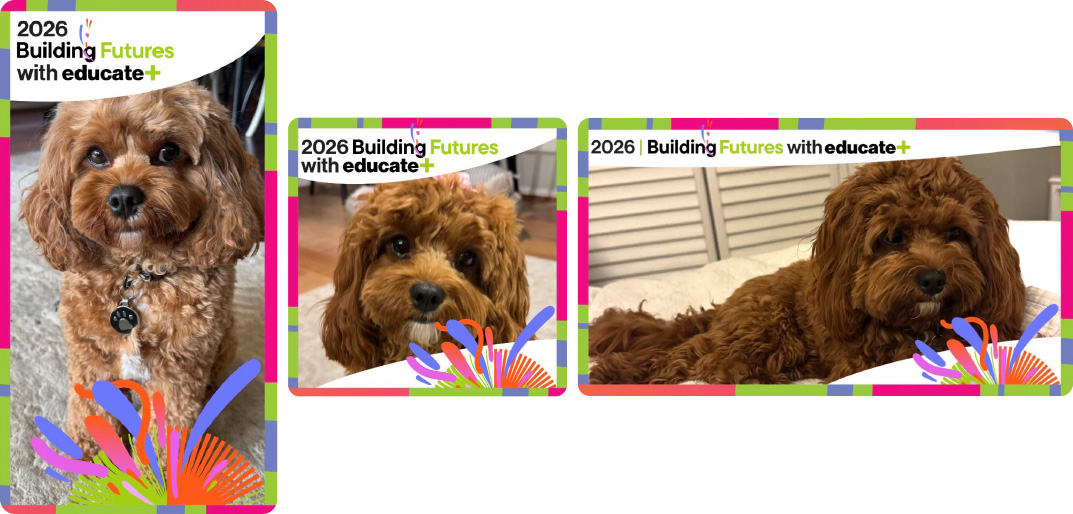
Steps to Adding Your Selfie Frame to Instagram Post
1. Save the ‘Selfie Frame’ to your photos. To do this:
- open this email on your phone
- click on the link above for your chosen size frame
- save the png file to your photos on your phone
2. Open Instagram and create a Story. To do this:
- enter Instagram
- click on the + sign on the top left and choose Story
- add the photo of yourself/experience that you want to share
- click the ‘stickers’ button (smiley square under Aa)
- choose ‘photo’ and manage photos so you can select the ‘selfie frame’ you’ve saved to your photos. This will then overlay on your original photo and can be sized to fit
- … and complete the post!
Happy snapping everyone! And don’t forget to hashtag
- #EPBrisbane2026
- #educateplus